



AP Automation & Payments Built for NetSuite
Automate invoice capture, approvals, and payments for NetSuite with TotalAP, a built-for-NetSuite certified SuiteApp.
Automate full invoice-to-pay workflows with invoice capture, approvals, and payments; or simplify payments from any U.S.-based bank account. NetSuite remains your system of record while TotalAP helps automate workflows and maintain visibility across AP teams.
 Increase efficiency and reduce manual processing Help minimize the risk of errors, fraud, and exceptions Improve cash flow visibility and payment control

How TotalAP and NetSuite Work Together
Faster workflows. Improved visibility. Predictable payments.
Whether you choose invoice-to-pay automation or payments-only workflows, TotalAP maintains NetSuite as your system of record with two-way sync. From implementation to payment optimization, MineralTree helps streamline automation and adoption across your AP process.
Step 1
Deploy the certified SuiteApp with guidance from the MineralTree implementation team.
Step 2
MineralTree’s payment optimization team analyzes spend data to improve payment execution, increase efficiency, and reduce costs.
Step 3
Launch automation and expand digital payment adoption across AP workflows.
Supported Sync Features
TotalAP integrates with NetSuite using native APIs for two-way bill and payment sync, ensuring GL accounts, posted bills and POs, vendors, and payments remain aligned across AP workflows.
- Single or multi-entity sync at the account or subsidiary level
- Multi-currency support and international payments
- Direct-debit payments from any U.S.-based bank account
- Tiered approval routing helps ensure bills do not get stuck in approval queue
- Bill image, header, line-item and expense capture, and coding with PO match
- Custom fields and segments (up to 3 for sync)*
- Unlimited document storage for captured bill images with sync to NetSuite*
- Optional Positive Pay integration to lower payment fraud risk
*Available with invoice-to-pay automation
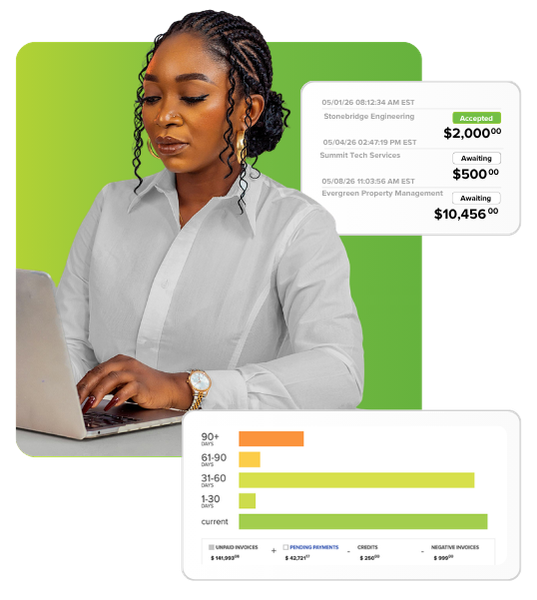

Automated invoice capture reduces manual work and speeds AP; optical character recognition (OCR) and human validation deliver up to 99% accuracy

Flexible approval workflows
Invoices route to the right approvers based on workflows, while reminders and in-app collaboration help prevent bottlenecks.

Tighter payment controls
Role-based access, dual approvals, two-factor authentication, and Positive Pay help reduce fraud risk.

Payment optimization services
Expert-led analysis identifies cost, risk, and efficiency opportunities to maximize ROI.

Simplified reconciliation & reporting
Direct-debit payments simplify matching; dashboards and reports improve visibility and forecasting.
See TotalAP in action and learn how it works with your NetSuite environment.



FAQs about Netsuite Integration
Does MineralTree require making payments via a dedicated bank account or settlement account?
No, MineralTree does not require you to set up another funding account or settlement account to process payments via our platform. Our direct-debit funding model allows you to integrate MineralTree directly with an existing US-based checking account—all payments issued via MineralTree are processed as ACH debits from your checking account with easy one-to-one reconciliation on your bank statement.
Is integration with our NetSuite environment included? Do we need to hire a consultant?
Yes, integration is included with TotalAP. Expert guided onboarding and support from MineralTree’s sales engineering team makes setup fast and simple, with no consultant required. Integration can be done remotely or on-site, with payment optimization to help drive vendor adoption and faster ROI.
How long does integration take?
Integration timelines vary, but most NetSuite customers are live on TotalAP and processing payments within weeks, so you can start automating processes and realizing value quickly.
Can we still pay invoices directly from NetSuite after implementation with MineralTree?
Yes, our two-way integration ensures you can manage invoices and payments across both systems while keeping NetSuite as your system of record. For example, if you prefer to pay certain vendors with a purchasing card or integrated spend management platform, you may continue to do so. Invoices approved and paid outside of MineralTree will still sync their status to avoid duplicating entries and payments.